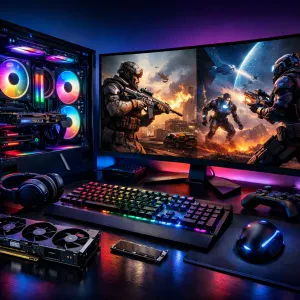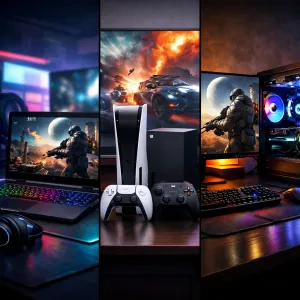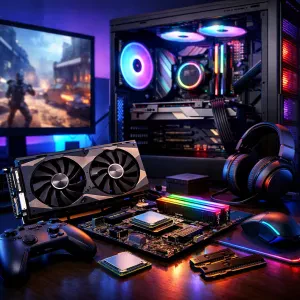
So, you’ve decided it’s time to level up your gaming setup. You want a machine that can handle the latest AAA titles, stream smoothly, and make your friends drool when they see your RGB lighting. But when you start looking around, there’s a ton of jargon — CPUs, GPUs, refresh rates, SSDs, and so on. Don’t worry — we’ll break it all down so you can make smart choices and get the best gaming PC for your budget.
🧠 The Processor (CPU): The Brain of Your PC
The processor is basically your PC’s brain — it tells everything else what to do. For gaming, you don’t need the absolute top-tier CPU, but you do want something fast and modern.
Options to consider:
-
Intel: The Core i5 and i7 (12th, 13th, or 14th gen) are great picks. The i9 is a beast but often overkill unless you’re also doing heavy video editing or 3D work.
-
AMD: The Ryzen 5 and Ryzen 7 series are fantastic value for money. The Ryzen 9 is top-of-the-line for multitasking maniacs.
Tip: Don’t overspend on the CPU if it means skimping on your graphics card (that’s where the real gaming magic happens).
💪 RAM: Your Game’s Short-Term Memory
RAM helps your PC handle multiple tasks at once — like running your game, Discord, and Chrome tabs (because we all have a dozen open).
For gaming:
-
16GB is the sweet spot for most players.
-
32GB is nice if you’re doing content creation, modding, or multitasking like a boss.
-
Speed matters too! Look for at least 3200MHz DDR4 or 5200MHz DDR5 if your motherboard supports it.
🎨 Graphics Card (GPU): The Star of the Show
If your CPU is the brain, the GPU is the heart — it powers your game’s visuals, frame rates, and overall smoothness.
Main contenders:
-
NVIDIA: RTX 4060, 4070, or 4080 depending on your budget. RTX cards also support ray tracing and DLSS (which make games look chef’s kiss).
-
AMD: Radeon RX 7700 XT or 7900 XT are great alternatives with solid performance for the price.
Rule of thumb: Always prioritize the GPU if gaming is your main goal — it’ll have the biggest impact on performance.
🖥️ Display: What You Actually See
Your PC might be powerful, but your experience depends on your monitor.
Things to check:
-
Resolution: 1080p is fine for most, 1440p is the sweet spot, and 4K is gorgeous (but more demanding).
-
Refresh Rate: 60Hz is okay, but 144Hz or 165Hz feels buttery smooth for fast-paced games.
-
Response Time: Aim for 1ms to avoid ghosting in shooters or action games.
If you’re a casual gamer, a solid 1080p/144Hz monitor is perfect. Hardcore players? Go 1440p/165Hz or beyond.
⚡ Storage: Where Your Games Live
Old-school hard drives (HDDs) are slow — we’re in SSD territory now.
Types:
-
SATA SSD: Way faster than HDDs, and cheaper.
-
NVMe SSD: Lightning-fast load times. Games load almost instantly.
Ideally, get at least a 1TB SSD — modern games eat up space fast. (Looking at you, Call of Duty.)
🔌 Power Supply (PSU) & Cooling: The Unsung Heroes
-
Power Supply: Don’t cheap out! Get a reputable brand (Corsair, EVGA, Seasonic) with at least 80+ Bronze certification.
-
Cooling: Air coolers are fine for most builds. Liquid cooling looks cool (pun intended) and helps if you’re overclocking or want quieter performance.
🧱 Prebuilt vs. Custom Build
-
Prebuilt PCs: Great for convenience — ready to go out of the box. Just check the parts (some use lower-end motherboards or PSUs).
-
Custom Build: More control, better parts for your money, and super satisfying. But you’ll need a bit of research — or help from a friend who’s built one before.
💡 Final Thoughts
Choosing a gaming PC is all about balance. You don’t need to chase the absolute top specs — it’s more about matching your hardware to the games you love and the resolution you play at. Whether you go for a slick prebuilt rig or a DIY masterpiece, focus on a strong GPU, decent CPU, and enough RAM to keep things smooth.
And don’t forget — a good chair, monitor, and keyboard can level up your setup just as much as the PC itself.
Now, go forth and conquer your Steam backlog. 🎮🔥